
Operational visibility without the surveillance culture.
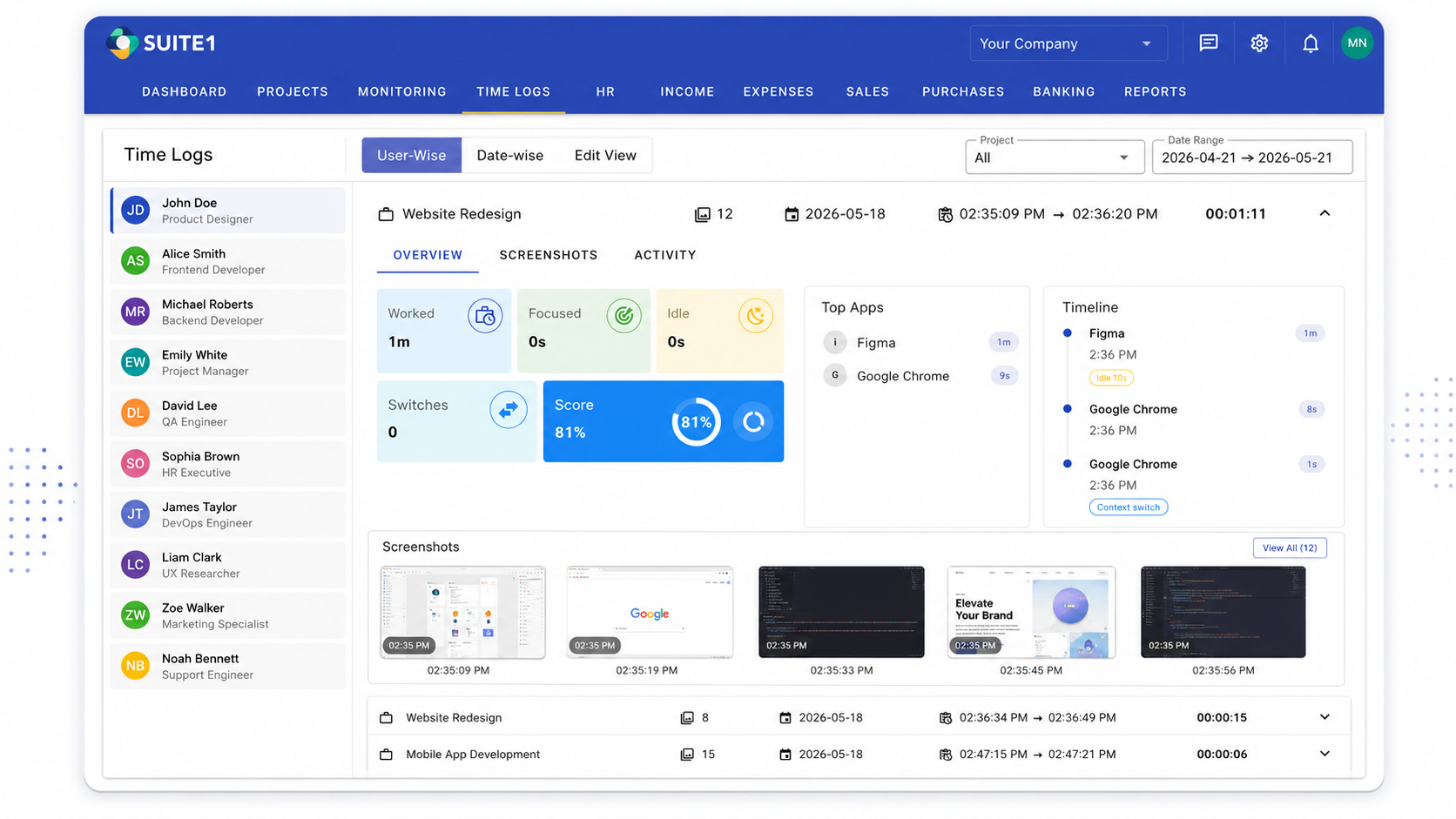
Employees log time via the SUITE1 desktop app — the same app used for chat. Time logging is how activity is tracked. Screenshots and live screen monitoring are fully optional features, disabled by default, and must be explicitly enabled per team or employee. No surveillance without consent.
The Problem
You have no idea how your team's time is actually being spent.
Without time visibility, you can't answer basic questions: Is this project profitable? Is a team member overwhelmed? Why did this delivery take twice as long as estimated? Most SMBs either don't track time at all, or use invasive tools that erode team trust.
How SUITE1 solves it
SUITE1 time logs & insights is built into the same platform your team already uses for projects, communication, and finance — so there's no context-switching, no data silos, and no extra tool to manage.
What's Inside
Everything included in Time Logs & Insights.
Time logging via the SUITE1 desktop app (Windows & Mac)
Activity summaries auto-generated from work sessions
Attendance tracking and shift management
Timesheets with approval workflows
Project-linked time for profitability visibility
Optional: screenshots and live monitoring (default off, consent-based)
See It In Action
Time Logs & Insights in SUITE1.
Real interface views from the time logs & insights module — ready to use on day one.
Activity summaries and productivity analysis auto-generated from time logs.
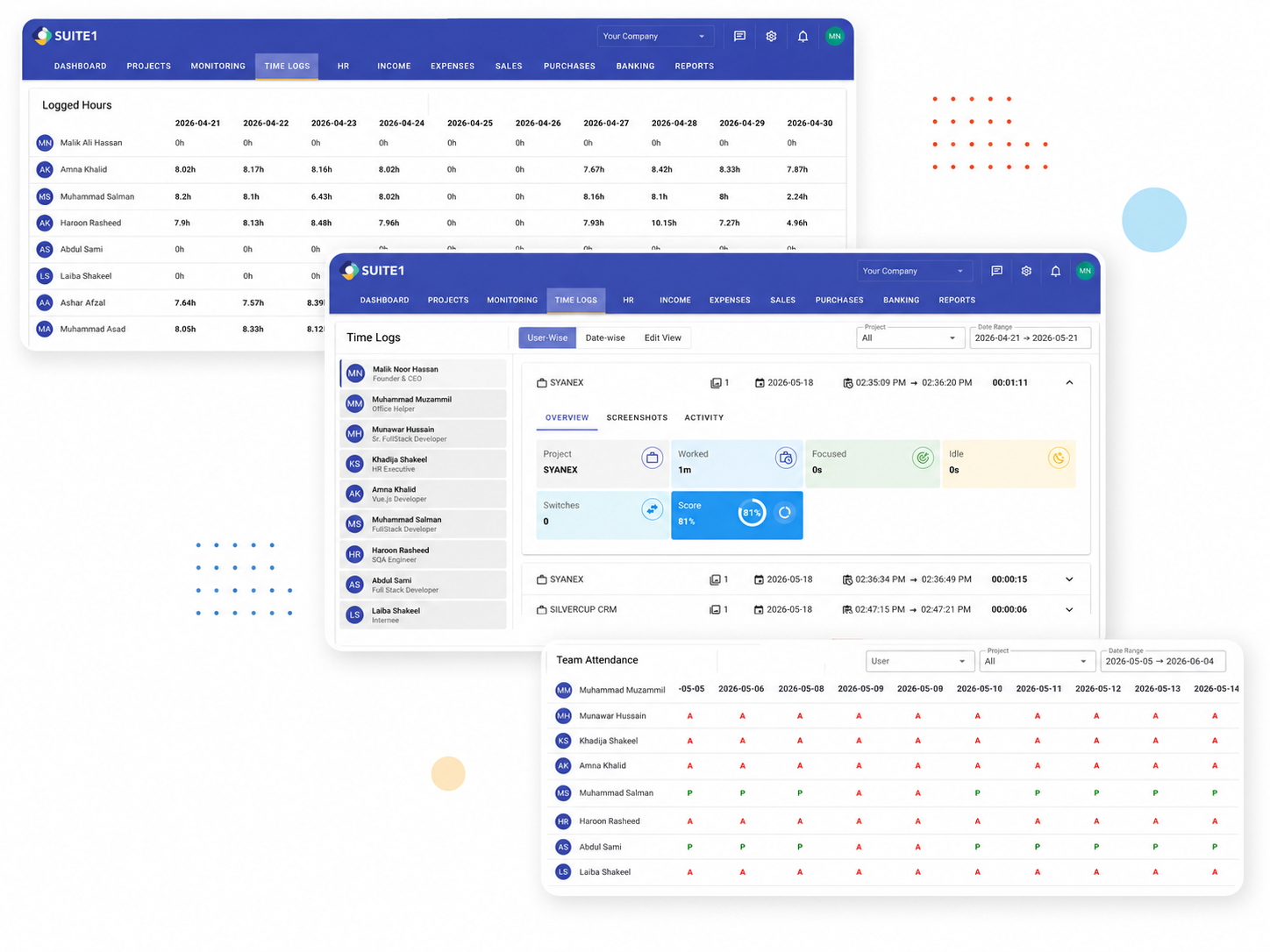
Timesheets & Attendance
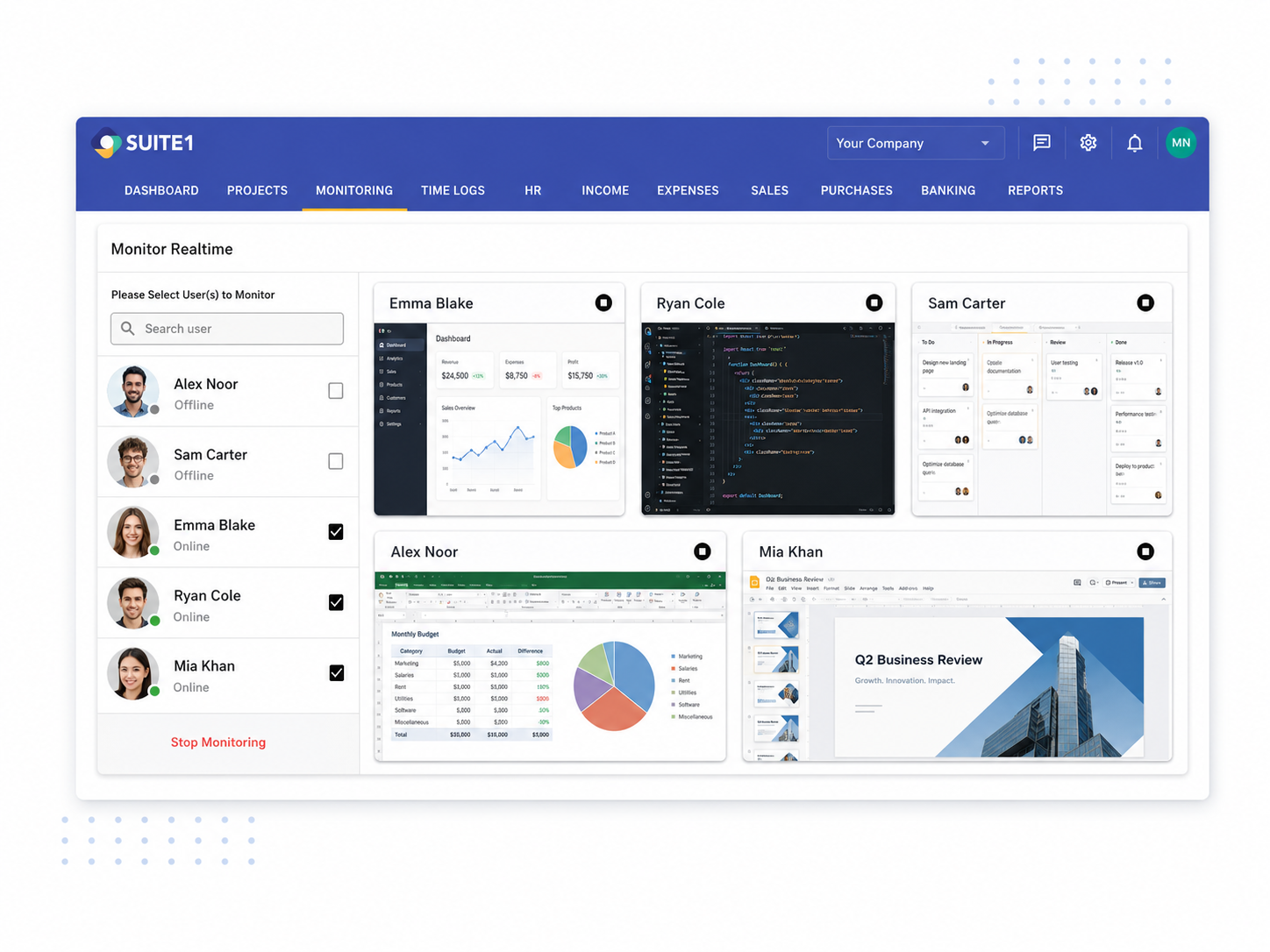
Live Monitoring (Optional)
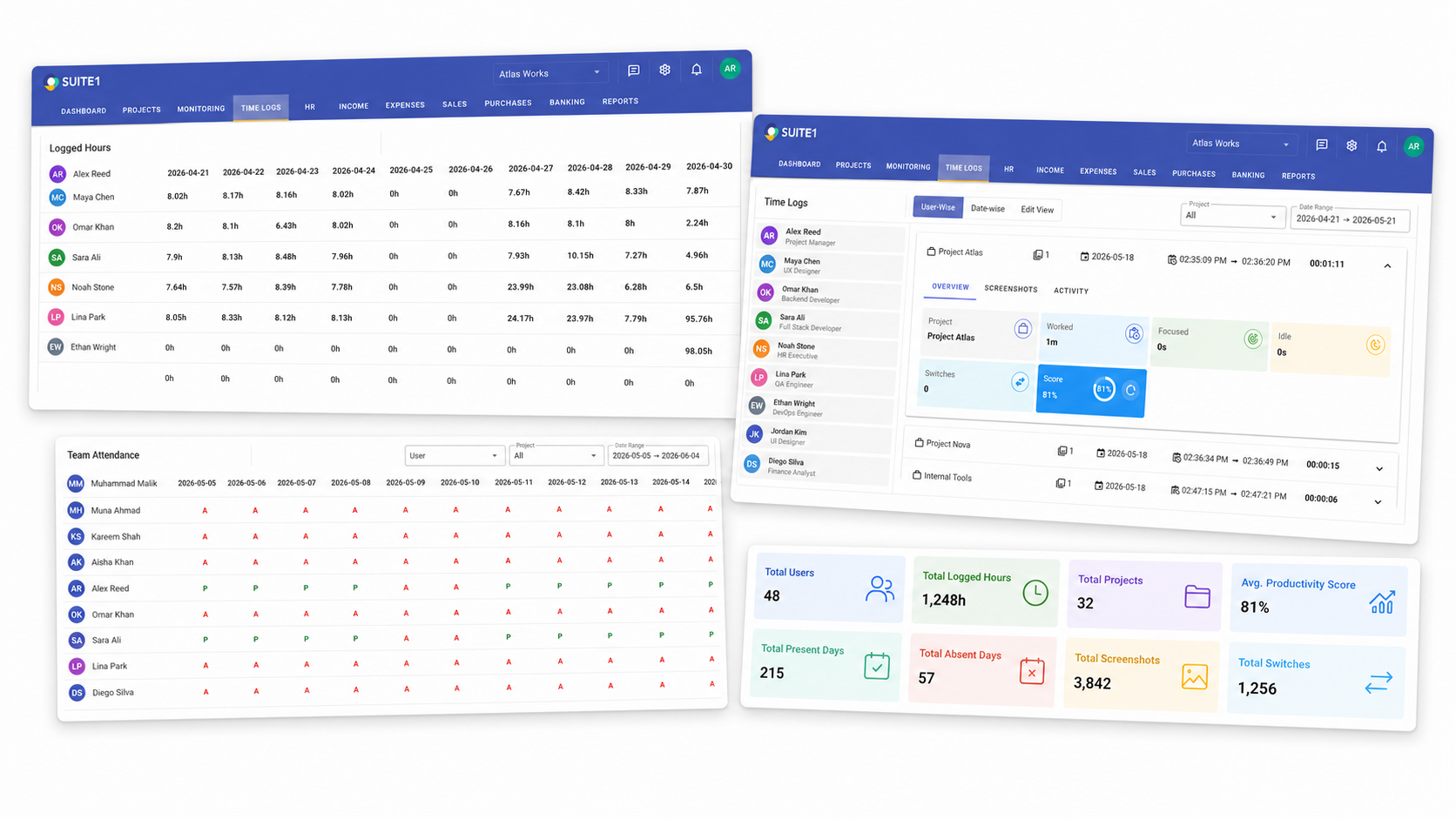
Productivity Reports
Who Uses This
Built for real business situations.
Remote team operations
Get visibility into when your remote team is working and what they're working on — without installing surveillance software or eroding trust.
Billable hours tracking
Track billable hours per client project and generate timesheet summaries for invoicing — all connected to the projects and tasks in SUITE1.
Payroll and attendance management
Use attendance records and logged hours to support payroll processing, leave tracking, and operational planning for your HR team.
FAQ
Questions about Time Logs & Insights.
Does SUITE1 take screenshots or log keystrokes?
SUITE1 does not log keystrokes. Screenshot capture and live screen monitoring are optional features, disabled by default, and controlled by company settings. They must be explicitly enabled — employees should be informed when these features are active. Time logs and attendance records are the primary visibility tools.
How do employees log time in SUITE1?
Employees can log time manually against projects and tasks, or use a simple check-in/check-out system. Time entries are reviewed and approved by managers through a timesheet workflow.
Can managers see who is working and on what?
Yes. Managers can see an overview of daily attendance, active team members, and which projects time is being logged against. This gives operational clarity without micromanaging individuals.
Can I use time data to understand project profitability?
Yes. Because time logs are linked to projects, you can see how many hours each project has consumed and compare that against your project budget or billing rate.
Explore More
Time Logs & Insights is just one part of SUITE1.
Start using Time Logs & Insights today.
15-day free trial. All modules included. No credit card needed.